Yes, it's possible nowadays to have sourcemaps when using Compass. Sourcemaps also enable us to save straight from Chrome Devtools.
Set up Sass and Compass
You’ll need:
- Sass 3.3.0.rc.3 (or the stable 3.3 when it's out)
- and Compass 1.0.0.alpha.18 (or the stable 1.0 when it's out)
See here my related post on how to do that: How to install Sass and Compass pre releases on an RVM.
Alrite, now you have Sass and Compass installed and you're using maybe Grunt to compile and build your projects (I'll write something about that later).
Compass config file...
...should look something like this:
http_path = "/"
css_dir = "/"
sass_dir = "scss"
images_dir = "images"
javascripts_dir = "js"
Note that you don't mention the source maps here at all.
Go to the projects scss folder:
$ cd /Users/bob/web/cm/scssAnd run:
$ --compass --sourcemap --watch style.scss:../style.css
>>> Sass is watching for changes. Press Ctrl-C to stop.
That creates a style.css.map file. It’s total gobbledygook, but Chrome
understands it.
Set up Chrome
Have the latest Chrome installed, 32 at time of writing this.
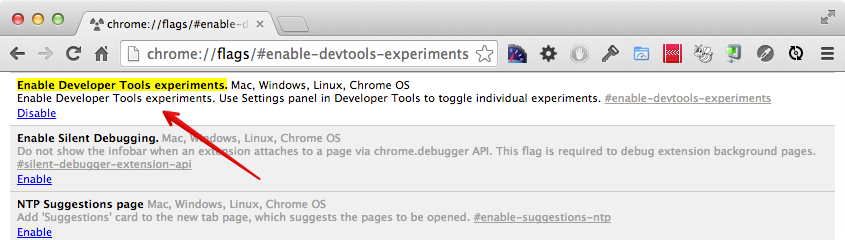
Go to chrome://flags/#enable-devtools-experiments and enable the Developer
Tools experiments, boot Chrome.
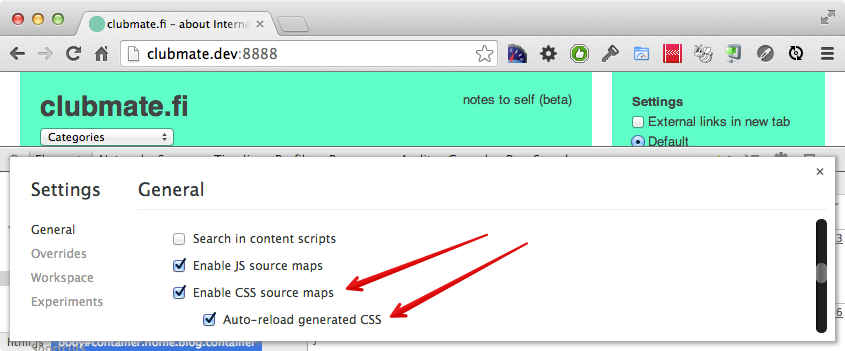
Goto devtools, open the settings, and tick the "Enable CSS source maps" and "Auto-reload generated CSS".
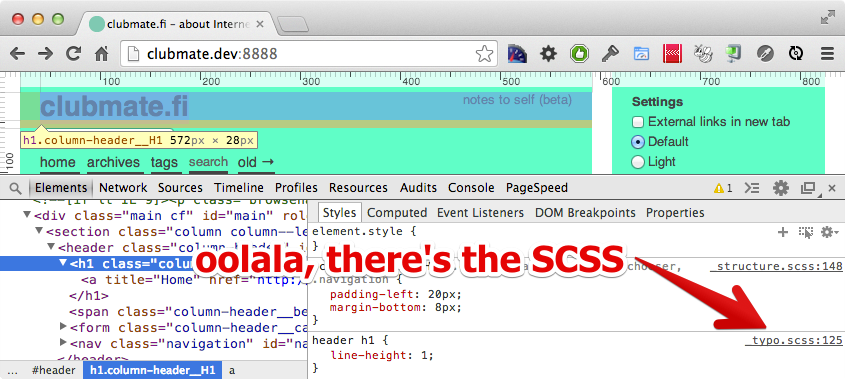
Inspect an element and, BOOM! There it is.
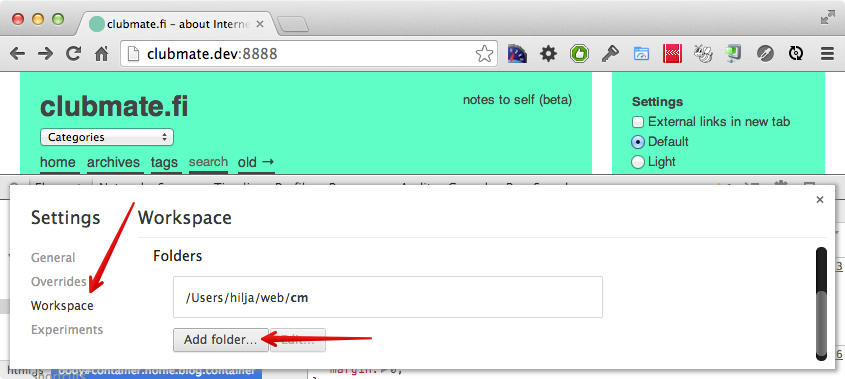
Enable saving in Devtools
Open Devtools and goto Settings > Workspace and choose your project folder.
Now inspect the element and click the .scss file name on the right.
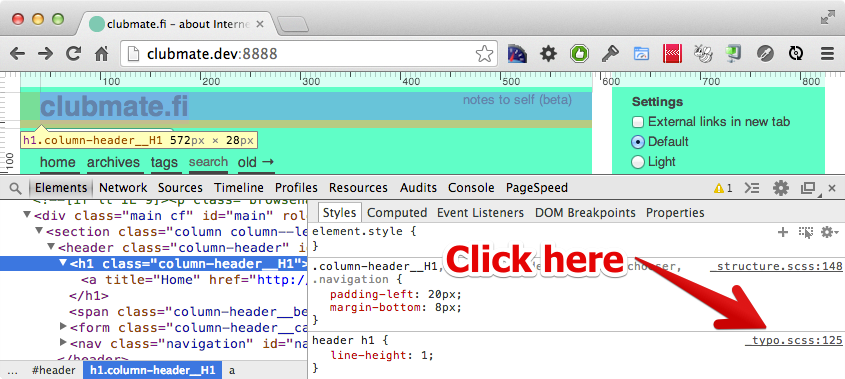
It shows the file in the Sources tab. Before you can save you need to enable the Network Mapping, right click any SCSS file.
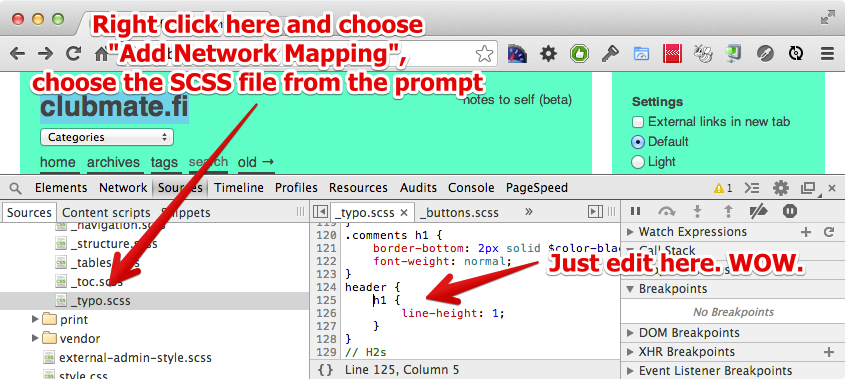
That’s all. Here's a nice video of Chris Epstein talking you through it.